Link management made simple: The ultimate guide for 2026

 21 minutes
Link management can feel like herding cats. One team member uses a raw UTM link, someone else pastes a long tracking URL, and pretty soon, you have no idea which click came from where. Yet every click carries power.
Studies show branded short links can lift click-through rates by around one-third compared with generic links, meaning messy URLs are leaving real money on the table.
Across channels, a single brand may share hundreds of links every month. Without proper link management, tracking performance, protecting online reputation, and staying consistent is almost impossible.
This guide walks through what link management is, how it works, and how tools like Replug help you keep every link organized, on brand, and trackable.
First up is the foundation: what exactly is link management, and why does it matter so much in 2026?
What is link management?
Link management is the process of creating, organizing, branding, and tracking all the URLs your marketing team shares.
The main goal is simple: control every link so you can improve performance, keep your brand consistent, and understand what really drives results. Instead of treating links as throwaway items, link management treats them as small but powerful marketing assets.
It matters because links sit everywhere, i.e., on ads and landing pages, newsletters and transactional emails, social posts and bio links, QR codes and print materials, influencer campaigns and partner content, etc.
When they are random and untracked, reporting becomes disordered and growth slows. But if they are planned and measured, you get clean data, a better user experience, and more confident decisions.
Key aspects of link management:
- Customization and branding turn ugly, long URLs into short, branded links that look professional and build trust. People are more likely to click when they recognize your brand name. This is especially helpful on crowded feeds where every character counts.
- Performance tracking adds click data to every link so you know which channels, posts, and campaigns work best. You can see sources, locations, devices, and trends effortlessly. That information guides smarter content and budget choices.
- Organization keeps your growing library of links searchable and tidy. With tags, folders, and campaigns, you can quickly pull reports by client, product, or promotion. That structure saves time for marketing teams and agencies.
- Efficiency comes from using one place to create, edit, and manage links instead of scattered spreadsheets. New team members can follow the same process, which reduces mistakes and duplicated work.
- Flexibility means you can update destinations, pause links, or redirect traffic without changing the visible URL. You keep the same shared link while adapting offers, pages, and tests as your strategy changes.
Core link management features
Modern link management tools and platforms do far more than shorten URLs. They give you control over every part of the click path: from the domain your audience sees, to the page they land on, to the data you record along the way.
These core features are what separate true link management from a basic shortener tool.
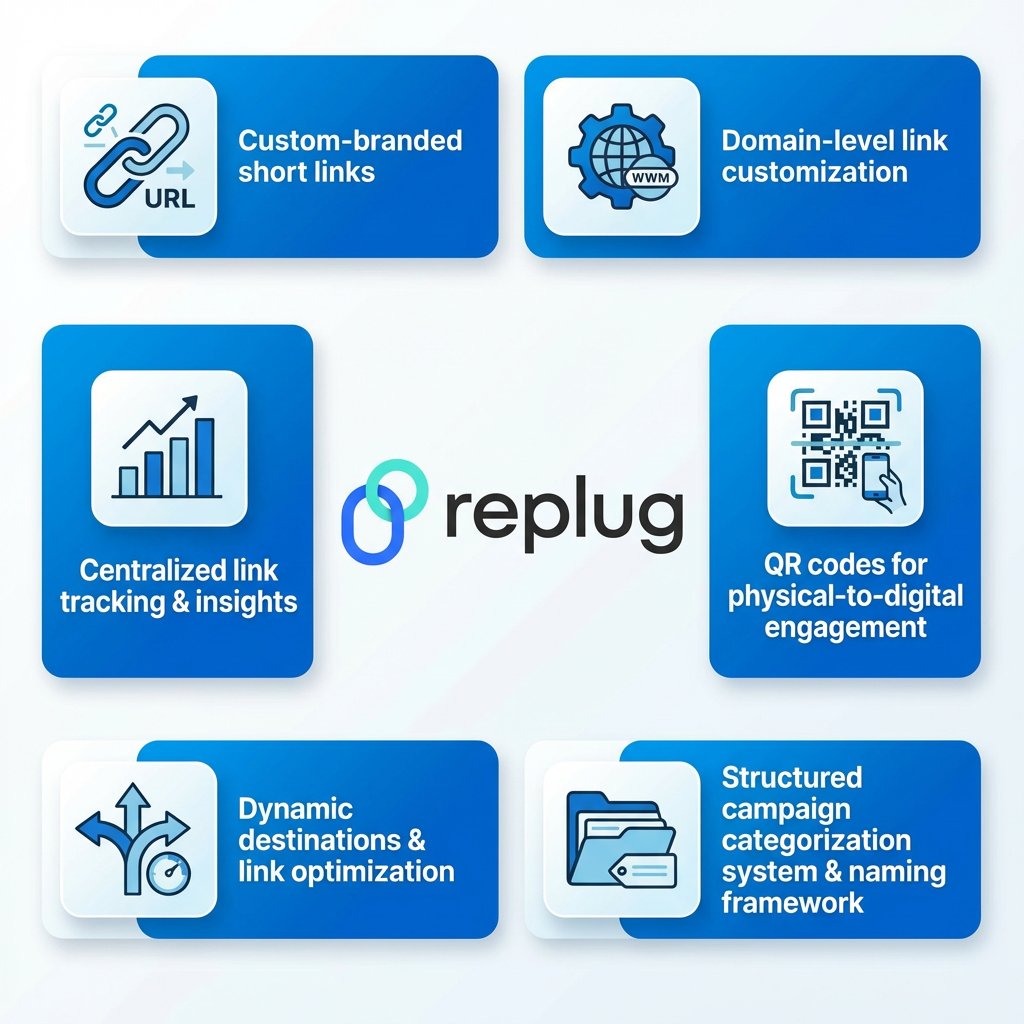
Custom-branded short links
Custom-branded links replace random characters with your own domain and meaningful slugs. Instead of a generic service name, people see something like yourbrand.link or go.youragency.com.
This builds trust and signals a professional approach. Branded links also help protect your online reputation because scammers usually rely on generic domains.
Good branded link practices include:
- Keeping slugs human-readable (for example,
/spring-saleinstead of/x7Fg4) - Matching naming with your campaign structure
- Avoiding misleading language that might feel spammy
Domain-level link customization
With domain-level control, you can manage multiple custom domains and workspaces from a single dashboard. Agencies can keep each client on a separate domain, while bigger companies can split links by product line or region.
This setup keeps reporting clean and prevents confusion when many teams work in the same account.
In Replug, this kind of setup makes it easy to:
- Keep client or department activity clearly separated
- Enforce naming and branding rules per workspace
- Share access only with the people who should see each domain
Centralized link tracking & insights
Centralized tracking pulls all click data into a single analytics view. It is a practice backed by research on how to unlock the power of data linkage to enable more informed, evidence-based decision-making.
You see which campaigns are winning across email, social, ads, QR codes, and influencers. In Replug, you can filter by campaign, country, device, or referrer, so you can quickly answer questions like which platform drives the highest conversion rate this month.
Centralized link analytics also help you:
- Compare paid vs. organic results without jumping across tools
- Identify content that keeps working long after launch
- Spot suspicious traffic spikes or bots before they skew decisions
Dynamic destinations & link optimization
Dynamic links let you change where a URL sends people without editing the link they already have. You can route traffic based on date, location, device, or A/B tests.
For example, you can:
- Send mobile users to app deep links and desktop users to your main site
- Send visitors from different countries to localized pages
- Split traffic between two landing pages and keep the better performer for long-term use
With Replug, these rules are managed from a single dashboard, so your team can adapt campaigns without asking developers to change hard-coded URLs.
Structured campaign categorization system & naming framework
A clear naming framework is the quiet hero of modern link management. When every link follows the same style or pattern for campaigns, sources, and content, reporting becomes far easier.
Tags and folders mirror your real marketing structure, such as clients, quarters, or product launches.
Replug supports:
- Tags for grouping by campaign, product, or channel
- Folders and workspaces for clients or internal teams
- Bulk actions, so cleaning up old campaigns and links stays simple
Over time, this structure turns your link library into a searchable archive rather than a pile of random URLs.
QR codes for physical-to-digital engagement
Smart QR codes bridge offline experiences with online tracking. A single short link can generate a dynamic QR code for packaging, flyers, events, or in-store displays.
Because the QR code points to your managed link, you can change the destination later and still keep all scans tracked in the same analytics view.
Practical uses include:
- Product packaging that leads to how-to videos or upsell pages
- Event badges that link to schedules, maps, or feedback forms
- Print ads that direct readers to time-limited offers
Major advantages of effective link management
When link management is set up well, it touches nearly every part of your marketing. You get better data, smoother experiences, and more predictable results from the same content and spend. These benefits add up fast for social media managers, agencies, and in-house teams.

Improved SEO & site authority
Clean internal and external links help search engines crawl your site more easily. When redirects are tidy and old links are updated instead of left broken, you avoid wasting link equity.
Over time, this supports stronger site authority, which works alongside your link-building services packages instead of fighting against them.
Some SEO-friendly link practices are:
- Redirecting outdated campaign URLs to relevant evergreen pages
- Avoiding endless redirect chains that slow pages down
- Updating links in high-traffic content when pages move
Better user experience & navigation
Short branded URLs and accurate redirects create smoother paths for visitors. People reach the right page the first time, rather than encountering 404 errors or confusing chains.
That simple experience lowers frustration, especially on mobile, and supports repeat visits and word of mouth.
With a managed link setup, you can:
- Fix mis-typed or outdated links without editing every post
- Guide users from generic links to the most relevant product or article
- Keep printed materials useful long after the original campaign ends
Centralized control & efficiency
With link management in one place, you do not need dozens of random documents to store URLs. Team members know exactly where to create, edit, and search links. This central control is especially helpful for agencies dealing with many clients or brands with several departments posting content every day.
Centralization helps you:
- Reduce duplicate links that distort your reporting
- Speed up onboarding for new team members
- Keep permissions and access under control
Advanced analytics & data tracking
Click data from every channel feeds into one precise analytics view. You can see which posts, ads, or emails lead to meaningful actions instead of guessing.
Replug takes this further with conversion tracking and UTM support, so you can connect clicks to leads and sales rather than just counting traffic.
Consistent branding & more efficient marketing
Branded links show your name across all channels, from TikTok bios to email signatures. That steady presence supports online reputation and makes your content easier to recognize.
When every link follows the same style, your team spends less time reworking assets and more time testing new ideas.
Consistent link branding can:
- Make affiliate and partner promotions feel less intrusive
- Help customers spot genuine offers vs. scams
- Tie together campaigns across different networks and devices
Improved collaboration & increased conversions
Shared workspaces, tags, and standardized naming make it easier for teams and agencies to collaborate. Designers, writers, and media buyers can all use the same links with confidence.
That alignment speeds up launches, reduces broken URLs, and creates more chances to guide clicks toward high-converting offers.
This is especially useful when:
- Multiple agencies work on the same brand
- Different regions handle their own campaigns under one domain
- Subject-matter experts contribute content, but marketing owns tracking
Flexibility & redirecting
Campaigns change often. A link that promoted a flash sale last week might now need to go to a general category page.
With proper link management, you update the destination once you’re inside the platform, and all existing clicks follow the new path. No need to edit old posts, ads, or QR codes.
This flexible control helps you:
- Keep promotions current without chasing old placements
- React quickly when products sell out or prices change
- Direct crisis communication traffic to updated information
Optimized resource allocation
When you know which channels and campaigns drive the best results, budget planning becomes far easier. Underperforming sources are simple to spot.
Teams that sell link-building service packages can use this data to clearly demonstrate value to clients and adjust tactics without guesswork.
You can:
- Allocate more spend to channels that drive revenue, not just clicks
- Reduce waste in campaigns that bring low-quality traffic
- Prioritize content formats that lead to conversions or signups
Common link management challenges
Even with great tools, link management can get messy without a proper plan. As your number of campaigns and teammates grows, problems tend to show up in the same places. Knowing these issues ahead of time helps you avoid them or fix them quickly.

Scalability & organization
What works for 10 links might fall apart at 10,000 links. Without folders, tags, or a clear naming style, older URLs become hard to find. New team members may create duplicate links or forget to add link tracking.
In such a case, a platform like Replug helps by providing dedicated workspaces, search, and bulk actions that scale with your marketing.
To stay organized as you grow:
- Agree on naming standards from the start
- Train every new collaborator on how to create links
- Schedule periodic cleanups to archive or retire old campaigns
Quality & relevance
Outdated or low-quality destinations waste traffic. Maybe a blog post is no longer accurate, or a product is out of stock. If no one regularly reviews links, people keep clicking and end up on weak pages.
A review schedule plus clear ownership for each campaign keeps links pointing to content that still matches your message.
A simple checklist for link quality:
- Is the destination page still live and accurate?
- Does it reflect your brand and current pricing or offers?
- Does it give visitors a clear next step?
Time-consuming process
Manually building UTMs, shortening URLs, and pasting them across platforms takes significant time. It also increases the risk of small typing mistakes.
Automation within a link management platform, such as RSS-based link creation or browser extensions, speeds up daily work so you can focus on strategy rather than copy-paste tasks.
Replug can help by:
- Auto-generating branded short links from new content
- Applying saved UTM templates for common campaigns
- Integrating with tools you already use for publishing
Broken links & redirects
Any site update or migration can create broken links. Without central tracking, you might not notice until a customer complains. Tools that monitor click errors and allow fast redirect updates fix this problem.
Replug supports easy redirect changes so you can keep traffic flowing even as your site structure changes.
You can:
- Create replacement destinations for popular but outdated URLs
- Track 404 patterns to spot recurring issues
- Update QR code targets without reprinting materials
Tracking & ROI
If some links are tracked and others are not, reports become unreliable. It is hard to prove the return on ad spend, influencer fees, or content production.
Standardizing link creation and using a single platform for tracking keeps your numbers clean. That makes it much easier to show a clear ROI to executives or clients.
Algorithm compliance
Social and ad platforms can change rules for link formats or tracking parameters. If your links look spammy or break guidelines, reach may drop.
Good link management includes watching platform updates, keeping links user-friendly, and avoiding tricks that might trigger filters or harm performance over time.
Practical tips:
- Avoid excessive redirect chains that slow loading
- Keep link text and preview content honest
- Test links in “preview” modes of ad platforms before scaling
Internal linking complexity
Large sites often face tangled internal link structures. Old pages might still receive traffic from many internal URLs, and cleaning them up manually is hard.
Using tracked short links for key internal paths gives you clearer data on how people move through your site and makes later changes easier.
This approach lets you:
- Analyze how users move between content clusters
- Retire or merge pages without losing insight
- Route visitors toward higher-value sections of your site
Lack of insight from untracked links
Every untracked link is a blind spot. You may be paying for content promotion or influencer work without seeing a direct impact.
By swapping raw URLs for managed, trackable links, you get visibility across campaigns. This is also a core part of true link management that goes beyond vanity metrics.
Even simple steps like standardizing links in email signatures or support replies can reveal surprising patterns in how customers find key pages.
Examples of how businesses use link management in 2026
Different teams use link management in different ways, but they all share the same goal: make every click count. Here are common use cases that show how marketers, agencies, and creators put these tools to work in real campaigns.
Branded & shortened links for trust
Brands use short, branded URLs across social bios, paid ads, and print. A clean link with their name feels far safer than a random string. This trust boost often leads to higher click-through rates, especially on platforms where audiences are cautious about spam or phishing attempts.
For example:
- A SaaS company uses
go.example.com/free-trialin all ads - A retailer adds a branded short link to product packaging for care tips
- A creator uses one consistent bio link across platforms, updated behind the scenes
Tracking marketing campaigns
Every paid and organic campaign gets its own tracked link. Social media managers create separate URLs for each post style or audience, then compare results in one dashboard. This helps them decide which creative and copy styles to scale and which to retire.
With Replug, teams can:
- Auto-attach UTM parameters based on campaign presets
- Group links by theme (product launch, event, seasonal sale)
- Export reports for clients or internal stakeholders in a few clicks
“Pay-by-link” for invoicing & sales
Service businesses send customers secure payment or checkout links instead of long invoices. With link management, those pay-by-link URLs are branded, trackable, and easy to update if the offer changes. Teams can see how many invoices were opened, which helps with follow-up and cash flow planning.
This method works well for:
- One-off services or consulting sessions
- Deposits for events or bookings
- Fast-checkout offers in DMs or live chats
SMS & reminder automation
Short links are perfect for SMS, WhatsApp, and reminder messages where character limits matter. A hospital, gym, or salon can send appointment reminders with a link that tracks confirmations and no-shows. Over time, they can test different reminder timings and wording for better response rates.
Typical flows include:
- “Confirm/cancel” appointment pages
- Post-visit feedback forms
- Renewal or rebooking offers sent after a visit
Dynamic redirects for campaigns
Retailers and SaaS companies use a single evergreen promo link that changes its destination over time. During a holiday sale, it leads to a special offer page, then it switches back to a general pricing page. Because the visible link stays constant, they can reuse it in ads, QR codes, and emails without confusion.
Dynamic redirects make it easier to:
- Run flash sales without creating new URLs every time
- Test new offers while keeping old posts and videos active
- Retire discounts while preserving clean redirect paths
In-person selling with QR codes
At events, pop-up stores, or trade shows, sales teams use QR codes tied to tracked links. People scan from banners, product tags, or display screens and land on targeted landing pages. Later, one can see which booth or event layout produced the most scans and signups.
This data helps you:
- Compare performance between locations or dates
- Refine booth design or signage based on real engagement
- Follow up with different offers depending on where the scan happened
Personalized customer journeys
Marketers create slightly different links for segments such as new leads, returning buyers, or VIP members. Each group lands on a page that matches their stage, not a generic homepage. Over time, this kind of routing tends to raise conversion rates and customer lifetime value.
In Replug, you can:
- Duplicate a base link and adjust destinations per segment
- Track how each audience responds to similar offers
- Fine-tune upsell and cross-sell flows based on results
Customer experience
Support teams include branded short links in help articles, chat replies, and follow-up emails. Because each link is tracked, they see which resources customers actually use. That insight guides improvements in documentation and helps reduce repeat tickets.
For example, you can:
- Identify which FAQs get the most traffic from support replies
- Spot gaps where customers keep asking for help
- Test new help-center layouts by routing traffic through managed links
Event promotions
Event organizers create a set of tracked links for each promotion channel: email, partners, paid social, influencers, and local posters with QR codes. After the event, they know exactly which channels drove registrations and check-ins, which shapes budgets for the next run.
Data from event links can reveal:
- Which partners brought the highest-intent attendees
- How early-bird vs. last-minute offers performed
- Which content pieces led people to sign up, not just click
A/B testing
Marketing teams use link rotation or A/B testing to route traffic from a single short link to multiple variants. A link management platform like Replug can distribute clicks across several landing pages or offers, then show which one performs best. Once a winner emerges, the team routes all traffic to that winner without changing the shared URL.
This makes it easier to test:
- Long-form vs. short-form landing pages
- Different price points or bundles
- Alternate headlines, hero images, or calls to action
Top link management tools to streamline your workflow (2026)
There are many tools that can shorten links, but fewer that truly support full link management. The best choice depends on your team size, tech stack, and reporting needs.
Here is a quick comparison of leading options, with Replug at the center for marketers who want data, branding, and conversion features in one place.
| Tool | Best for | Highlights |
| Replug | Marketers and agencies needing full control | Branded links, advanced analytics, retargeting pixels, CTA overlays, A/B testing, dynamic QR codes, and white-label options for agencies. |
| Bitly | Simple use cases and basic link tracking | Easy-to-use interface with custom domains, basic analytics, and integrations with popular social and automation tools. |
| Rebrandly | Brands focused on domain level customization | Strong focus on custom domains and branded links, plus team features for managing multiple brands from one account. |
| Linkly | Marketers wanting detailed traffic rules | Good for geo targeting, device targeting, and affiliate-style routing, plus link tracking for paid campaigns. |
| Dub.co | Product teams and startups | Open source background, API friendly, and flexible tracking options for technical users who like customization. |
| BL.INK | Larger organizations with data needs | Enterprise features, detailed reporting, and governance controls suited for bigger teams with strict compliance rules. |
| TinyURL | Quick public shortening with minimal setup | Very simple shortener for one-off links, with some options for branded domains and tracking on paid plans. |
| PrettyLinks | WordPress-based businesses | Works as a WordPress plugin that manages affiliate links and redirects directly from the site admin area. |
Link management vs. link tracking: Key differences explained!
People often use the terms “link management” and “link tracking” as if they mean the same thing. In practice, tracking is only one part of the wider management picture.
Understanding the difference helps you choose tools and workflows that support both daily work and long-term growth.
| Aspect | Link management | Link tracking |
| Definition | Complete process for creating, organizing, branding, routing, and measuring links across channels | Recording and analyzing clicks and related metrics on specific URLs |
| Scope | Covers link creation, naming rules, redirects, branding, access control, and reporting | Focuses mainly on click counts, sources, and basic performance data |
| Goal | Give teams central control over every link so campaigns stay organized and on brand | Show how many people clicked a link and where they came from |
| Actions | Create links, edit destinations, group by campaigns, assign tags, manage QR codes, and share access | Place tracking parameters, read reports, compare click results between links |
| Components | Custom domains, short links, QR codes, folders, tags, UTM builders, and analytics in one platform | Tracking pixels, analytics reports, and sometimes simple shorteners or redirect tools |
In simple terms, link tracking tells you what happened, whereas link management gives you the tools and structure to do something about it.
Earn success in your marketing campaigns with Replug’s link management tool
Replug is an all-in-one link management platform built for marketers, agencies, and creators who care about data and branding.
At its core, Replug works as a custom URL shortener powered by advanced routing, retargeting, and analytics. That means every link you share can carry your domain, your message, and rich performance data.
Inside Replug, you can:
- Create branded short links in seconds
- Organize them with tags, folders, and campaigns
- Track every click in a clean, filterable dashboard
- Add retargeting pixels for ad platforms
- Run A/B tests on up to ten destinations from a single link
- Layer on call-to-action overlays to capture leads from curated content
- Generate dynamic QR codes and deep links that connect offline and in-app experiences to the same reporting


Many professionals trust Replug to manage links for social media, email, paid ads, and influencer work. If you are ready for true link management instead of scattered spreadsheets, the Replug link management tool gives you the control and insight needed to improve results without adding extra tools. Try it now!
Summing up
Links might look small, but they carry the weight of your campaigns, content, and brand trust.
When link management is messy, reporting falls apart, and it is hard to prove what actually works. But when it is organized, branded, and backed by strong analytics, every click turns into a clear signal you can act on.
By using features such as custom domains, dynamic redirects, QR codes, and centralized tracking, you make life easier for your team and clearer for your audience. Tools like Replug bring these pieces together so you can plan, test, and refine with confidence.
Start treating your links as real marketing assets, and your campaigns in 2026 will feel far more controlled and predictable.
Frequently asked questions
Is link management legit?
Yes, link management is a standard practice used by brands, agencies, and creators of all sizes. It gives structure to how you create, track, and update URLs. When done correctly, it improves user trust and makes your reporting far more accurate.
What is the LMP link management protocol?
LMP usually refers to the Link Management Protocol used in computer networking, not marketing. It helps network devices coordinate the setup and maintenance of links. For marketers, link management is more about URLs, tracking, and analytics than low-level network behavior.
What is link asset management?
Link asset management means treating each URL as a small digital asset. You track where it is used, how it performs, and when it should change or expire. This approach keeps your campaigns tidy and avoids wasted clicks on outdated or broken pages.
What is a link management platform?
A link management platform is a tool that centralizes link creation, branding, tracking, and organization. Replug is one example, offering custom domains, analytics, retargeting, and QR codes in one dashboard. These platforms replace chaotic spreadsheets with a single source of truth for all your links.
What is branded link management?
Branded link managementfocuses on using your own domains and naming style for every short link. Instead of generic service URLs, you share links that clearly show your unique brand name. This supports online reputation, improves click-through rates, and makes your content easier to recognize.
What is link management in computer networks?
In networking, link management refers to how devices set up, monitor, and adjust physical or logical connections. It deals with things like link health, capacity, and failover. While the term is similar, this is separate from marketing-focused link management for URLs.
Would it be possible to automate link creation?
Yes, many platforms support automation through integrations, RSS feeds, or browser extensions. Replug, for example, can generate short links automatically from new content or imports. This saves time and makes it easier to keep tracking consistently across large campaigns.
Is it possible to integrate link management with my existing stack?
In most cases, yes! Modern link management tools connect with social schedulers, email platforms, ad managers, and analytics tools, hassle-free. Replug also supports integrations and web-based widgets, so your links and data flow smoothly into systems you already use.
How does link management differ from basic link shorteners?
Basic link shorteners primarily replace long URLs with shorter ones and provide minimal statistics. Link management, on the other hand, covers branding, routing rules, QR codes, collaboration, and deep analytics. It is designed for teams that run ongoing campaigns rather than one-time personal links.
How do teams use link management in real workflows?
Teams use link management to standardize UTM tags, create branded links for every campaign, and track results across channels. Agencies bake it into client reporting, while in-house marketers use it to test offers, protect online reputation, and refine content. With a platform like Replug, these tasks happen in one place rather than across many separate tools.